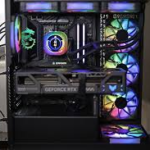


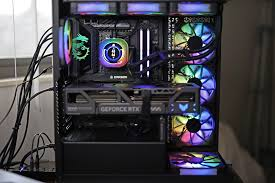
The MSI MPG X870E Carbon WiFi motherboard has attracted attention from PC enthusiasts because of its premium features, high-speed connectivity, and support for modern AMD processors. However, like many advanced motherboards, some users have reported technical problems after building their systems.
Understanding mpg x870e carbon wifi issues can help users troubleshoot problems faster and improve overall system stability. In this article, we’ll explore the most common concerns users experience and practical ways to fix them.
BIOS Compatibility Problems
One of the most discussed mpg x870e carbon wifi issues involves BIOS compatibility. Some users report boot failures, random restarts, or instability when using newly released processors or RAM kits.
This usually happens because the motherboard may require a BIOS update to fully support newer hardware components.
How to Fix It
- Download the latest BIOS version from MSI’s official website
- Use the BIOS Flashback feature if the system fails to boot
- Reset BIOS settings after updating
Keeping the BIOS updated often resolves compatibility-related issues.
WiFi Connectivity Problems
Despite its advanced wireless features, some users experience unstable internet connections or difficulty detecting WiFi networks.
Common symptoms include:
- Slow wireless speeds
- Frequent disconnects
- WiFi adapter not appearing in Windows
These are among the most common mpg x870e carbon wifi issues reported by early adopters.
Possible Solutions
- Install the latest WiFi drivers
- Update Windows network drivers
- Reconnect antennas properly
- Restart router and motherboard network settings
In many cases, driver updates significantly improve stability.
Memory Stability Concerns
High-speed DDR5 RAM can sometimes create stability problems, especially when EXPO profiles are enabled.
Users may experience:
- Blue screen errors
- Random crashes during gaming
- Boot loops after enabling memory overclocking
This issue is not uncommon with modern enthusiast motherboards.
Recommended Fixes
- Lower RAM frequency temporarily
- Update motherboard BIOS
- Manually adjust memory timings
- Test RAM sticks individually
System stability usually improves after fine-tuning memory settings.
Slow Boot Times
Another frequently mentioned concern related to mpg x870e carbon wifi issues is unusually slow boot performance.
Modern AM5 systems often perform memory training during startup, which can increase boot times, especially with DDR5 memory.
How to Improve Boot Speed
- Enable Memory Context Restore in BIOS
- Disable unnecessary startup devices
- Keep firmware updated
These adjustments can noticeably reduce startup delays.
USB Port Detection Issues
Some users report occasional problems with USB devices disconnecting unexpectedly or not being recognized.
This can affect:
- Gaming peripherals
- External storage devices
- USB audio equipment
Such issues may occur because of outdated chipset drivers or power management settings.
Troubleshooting Tips
- Update AMD chipset drivers
- Disable USB selective suspend in Windows
- Test devices on different USB ports
Stable driver installation usually resolves most USB-related problems.
Overheating and Temperature Management
The motherboard includes powerful VRMs and advanced cooling support, but poor airflow can still create thermal concerns.
Users sometimes notice:
- High chipset temperatures
- Increased fan noise
- Thermal throttling under heavy workloads
Although not always severe, these thermal issues can affect long-term performance.
Ways to Reduce Heat
- Improve case airflow
- Install additional cooling fans
- Use high-quality thermal paste
- Monitor temperatures regularly
A well-ventilated setup helps maintain stable system performance.
RGB and Software Glitches
MSI’s RGB software occasionally causes synchronization problems or crashes.
Reported problems include:
- RGB lighting not syncing
- Software freezing
- Settings resetting after reboot
These software-related mpg x870e carbon wifi issues are usually minor but can still frustrate users.
Possible Fixes
- Reinstall MSI Center software
- Update RGB firmware
- Disable conflicting RGB applications
Using only one RGB management tool often improves stability.
Is the MPG X870E Carbon WiFi Still Worth Buying?
Despite these issues, the motherboard remains a strong option for gamers, creators, and PC enthusiasts. Most reported problems are software or BIOS-related rather than hardware defects.
The board still offers:
- Premium build quality
- PCIe 5.0 support
- High-speed networking
- Advanced cooling features
- Strong power delivery for Ryzen processors
Many users experience excellent performance after proper setup and updates.
Final Thoughts
Like many high-end motherboards, the MSI MPG X870E Carbon WiFi may require some initial troubleshooting. Most mpg x870e carbon wifi issues are manageable through BIOS updates, driver installation, and optimized settings.
For users building a modern AMD system, understanding these common problems can save time and improve overall reliability. With the right configuration, the motherboard delivers powerful performance suitable for gaming, productivity, and future upgrades.
About The Author